
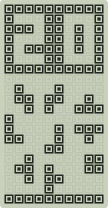
How to play Shift Blocks
Every time a shape lands, the entire stack moves one column to the right, and the rightmost column wraps around to the left. Think one step ahead: the gap you're aiming for will have moved by the time the next shape arrives.
Controls
- ←↑→↓
- Move, steer, choose a game in the menu
- Space
- Action: rotate, fire, jump
- 2
- Start / Pause
- 3
- Sound on / off
- 1
- On / Off: back to the menu
In the menu, Up and Down pick a game, Left sets LEVEL, Right sets SPEED and Start begins.
On a phone or tablet, tap the buttons of the console on the screen.
Speed and level
SPEED and LEVEL go from 1 to 10. You set them in the menu before the game starts; they also rise as you play. The higher they are, the faster the game — and the more points each action is worth.
Tips
- Aim one column to the left of the gap you want to fill.
- Full rows clear before the stack shifts — use that.
Shift Blocks: questions and answers
Is Shift Blocks free?
Yes. Shift Blocks is completely free: open the page, press Play and the game starts in your browser with no download.
Can I play Shift Blocks on my phone?
Yes. The console works on phones and tablets — tap the buttons on the screen. On a computer you can play with the keyboard.
How do I get on the Shift Blocks leaderboard?
Sign in with Google, choose a nickname and play. Your best score is added to the daily, weekly and all-time tables of Shift Blocks.