
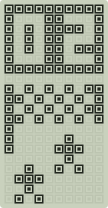
How to play Road Racer
Your car races along an endless highway full of traffic. Switch lanes with Left and Right, hold Up or Action to accelerate and Down to brake. The longer you drive, the higher the level; after level 10 the count starts again with a higher speed. You have four spare cars, and fast driving earns the most points.
Controls
- ←↑→↓
- Move, steer, choose a game in the menu
- Space
- Action: rotate, fire, jump
- 2
- Start / Pause
- 3
- Sound on / off
- 1
- On / Off: back to the menu
In the menu, Up and Down pick a game, Left sets LEVEL, Right sets SPEED and Start begins.
On a phone or tablet, tap the buttons of the console on the screen.
Speed and level
SPEED and LEVEL go from 1 to 10. You set them in the menu before the game starts; they also rise as you play. The higher they are, the faster the game — and the more points each action is worth.
Tips
- Braking costs a little score, so change lanes early instead.
- Look two cars ahead — the gaps follow a pattern.
Road Racer: questions and answers
Is Road Racer free?
Yes. Road Racer is completely free: open the page, press Play and the game starts in your browser with no download.
Can I play Road Racer on my phone?
Yes. The console works on phones and tablets — tap the buttons on the screen. On a computer you can play with the keyboard.
How do I get on the Road Racer leaderboard?
Sign in with Google, choose a nickname and play. Your best score is added to the daily, weekly and all-time tables of Road Racer.